Get a pulse on your money.
Your complete financial checkup. Private by design. Skip the spreadsheets and monthly subscriptions. Bring your income, spending, assets, and debts together in one place to see the full health of your finances, all saved on your own computer, or in a cloud folder you already use. No bank logins · No subscription · No financial data on our servers
In private beta · Mac with Apple silicon · Windows planned
Sound familiar?
The bills get paid. The big picture needs a checkup.
Where is all my money going?
See every dollar coming in and going out, plus your net worth, in one place.
What can I do to keep better track of my finances?
Simply create budgets and add your bank or credit card transactions.
I don’t want to share my bank logins with a third party. How do I secure my data?
The app never asks for a bank login or an account number. Add an optional passphrase and your file is fully encrypted.
See inside
Your whole financial life. One complete checkup.
Real screens from the app, running a sample household’s checkup. Pick a page.
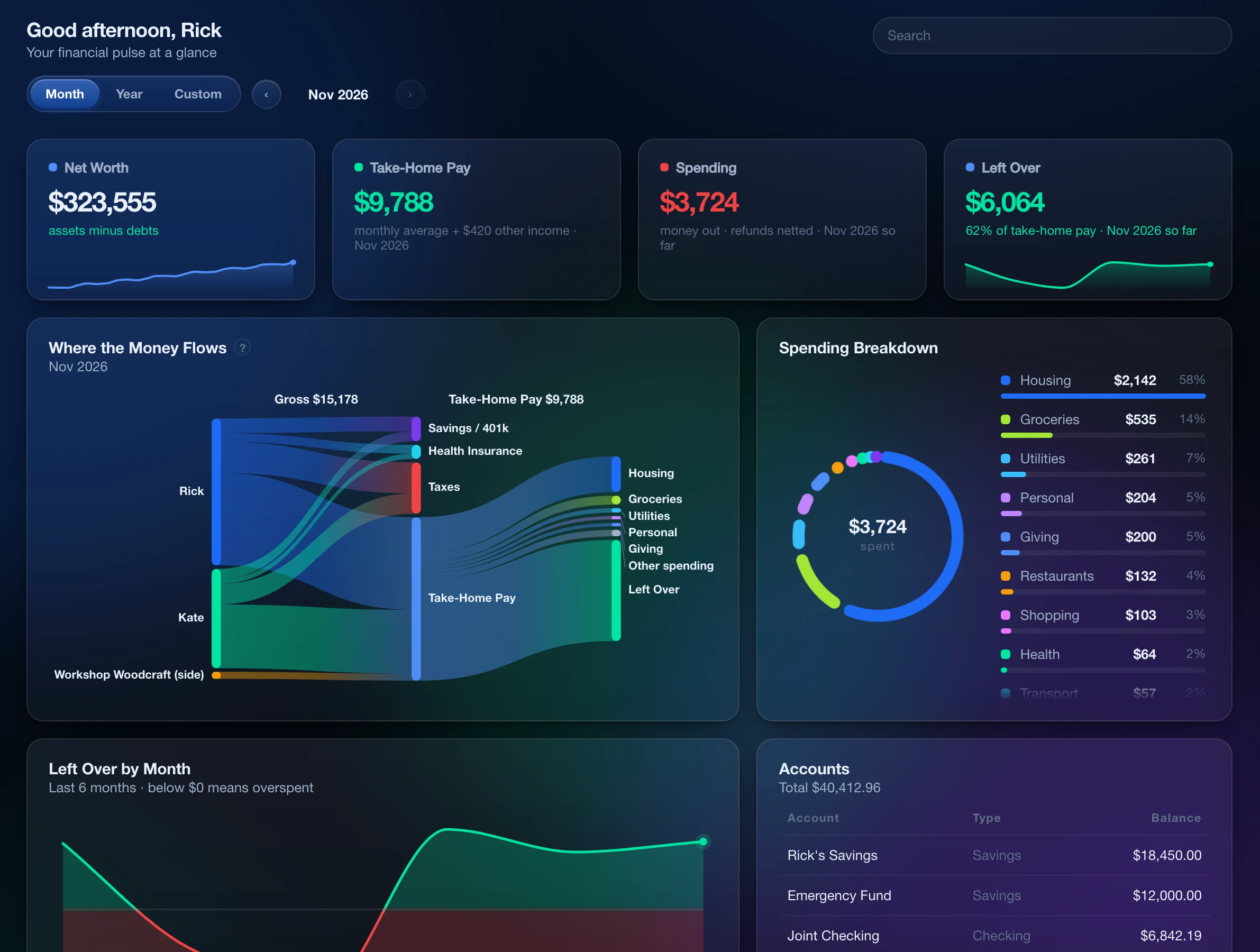
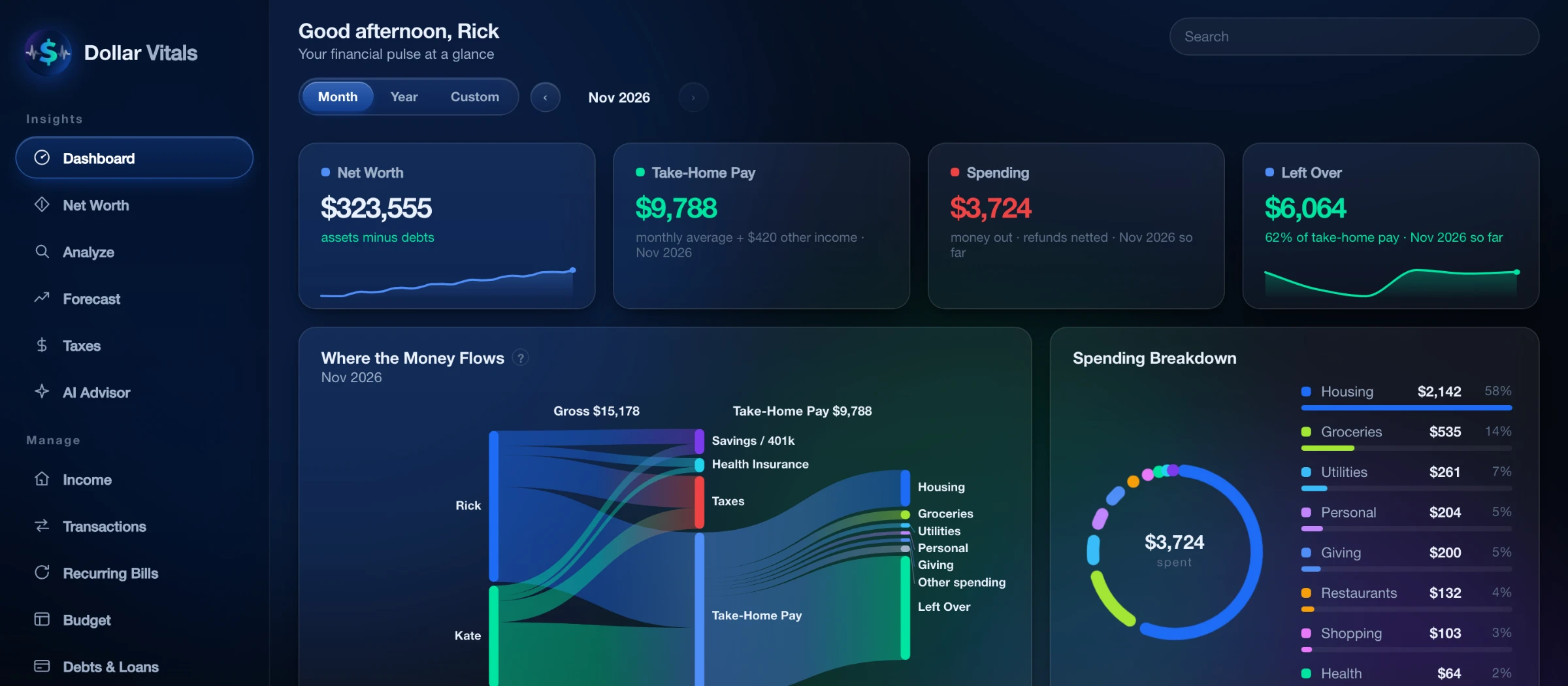
Your month at a glance: net worth, income, spending and where the money went.
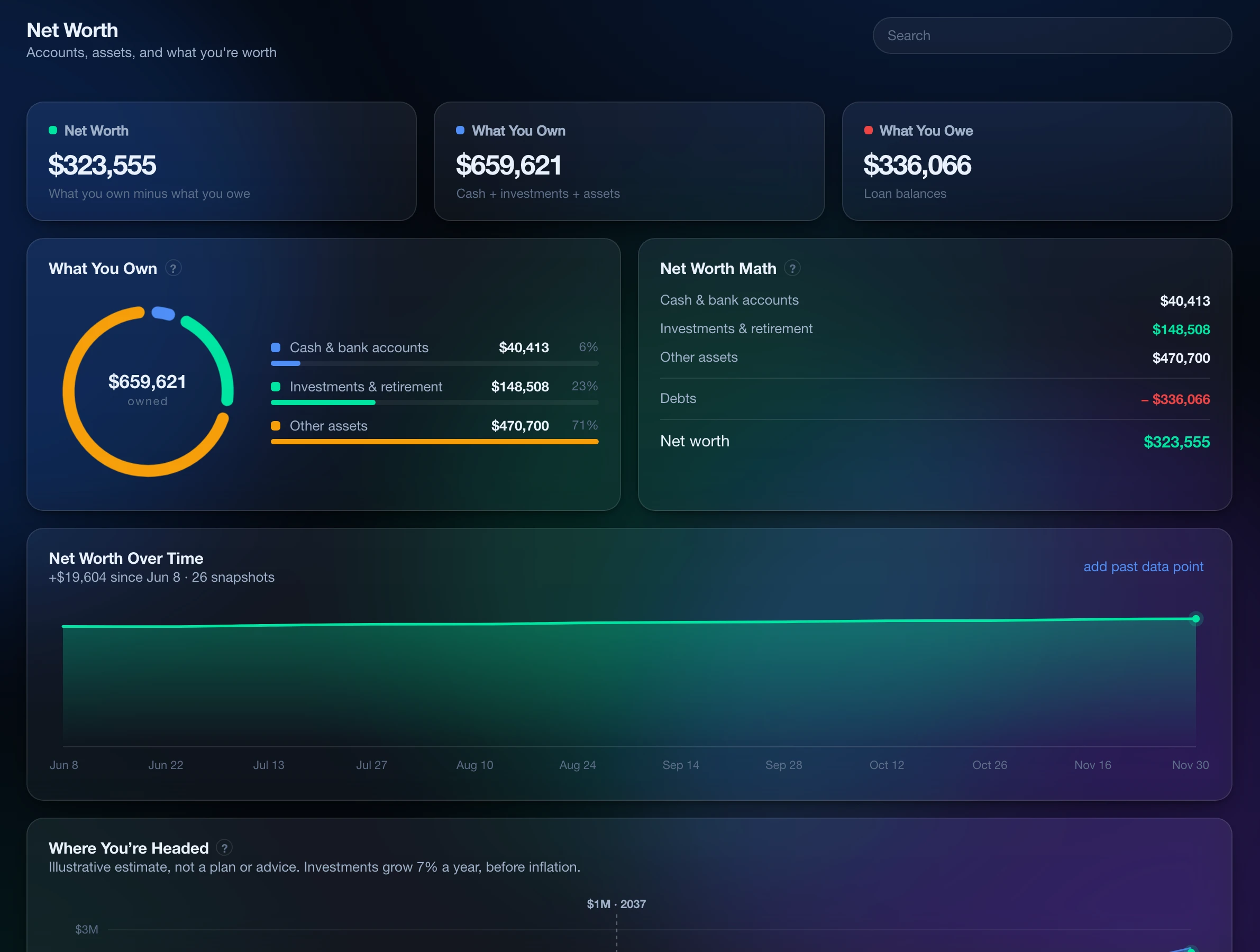
Everything you own minus everything you owe, tracked over time, so you can see whether you’re getting ahead.
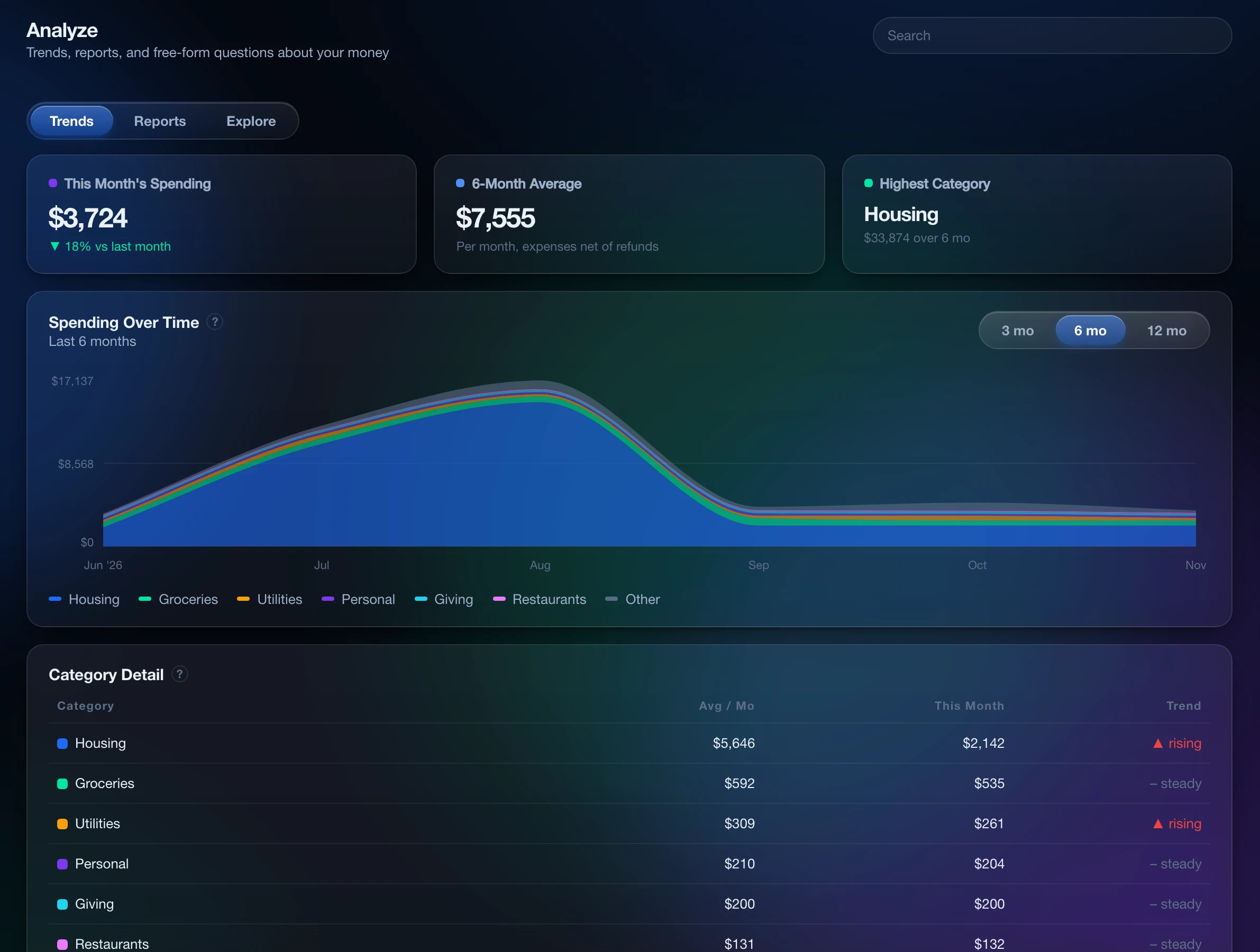
Where the money went, by category and by month, so you can spot a leak before it becomes a habit.
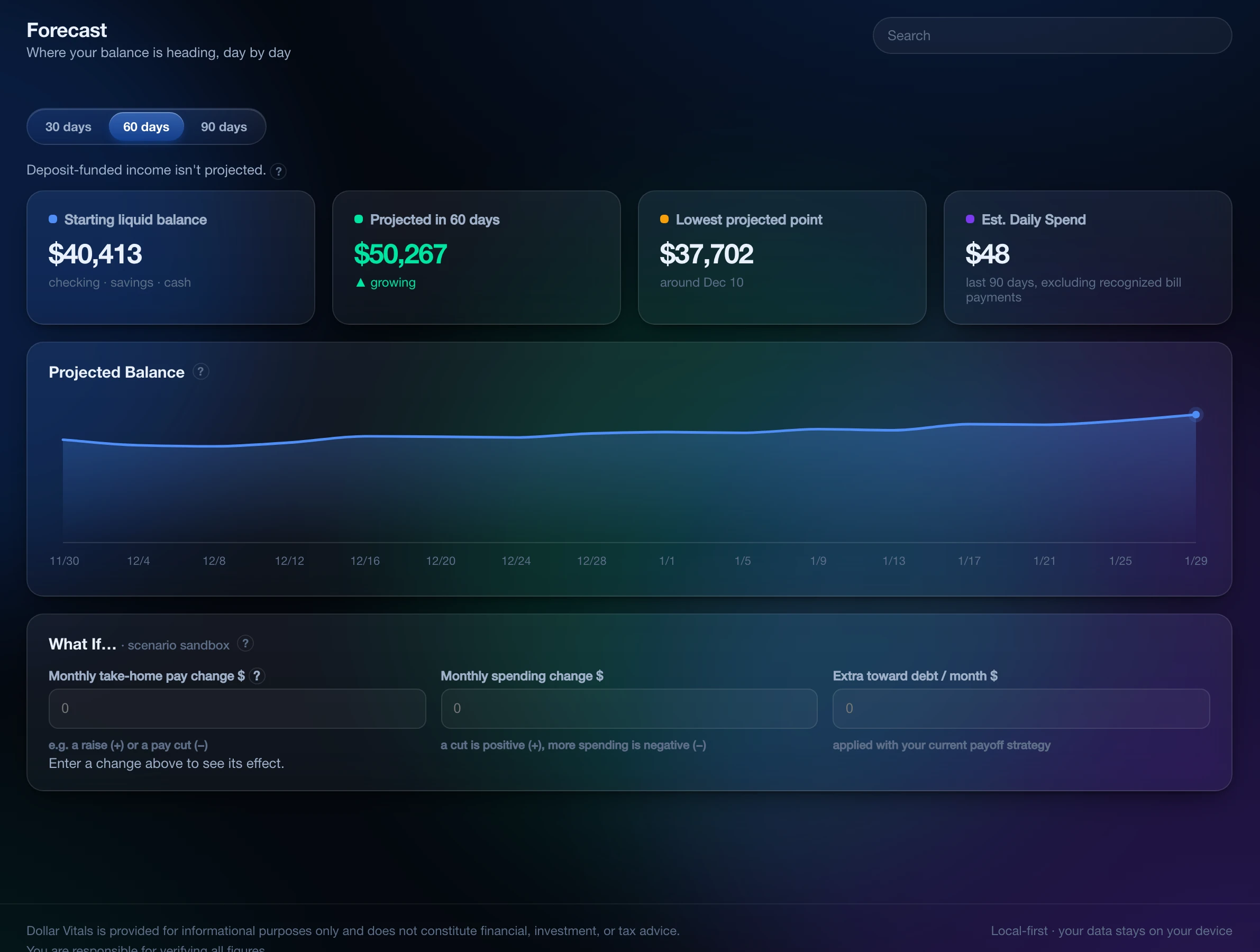
The next 30, 60 or 90 days, with paychecks on your pay schedule and bills on their due dates, so you see a low balance coming.
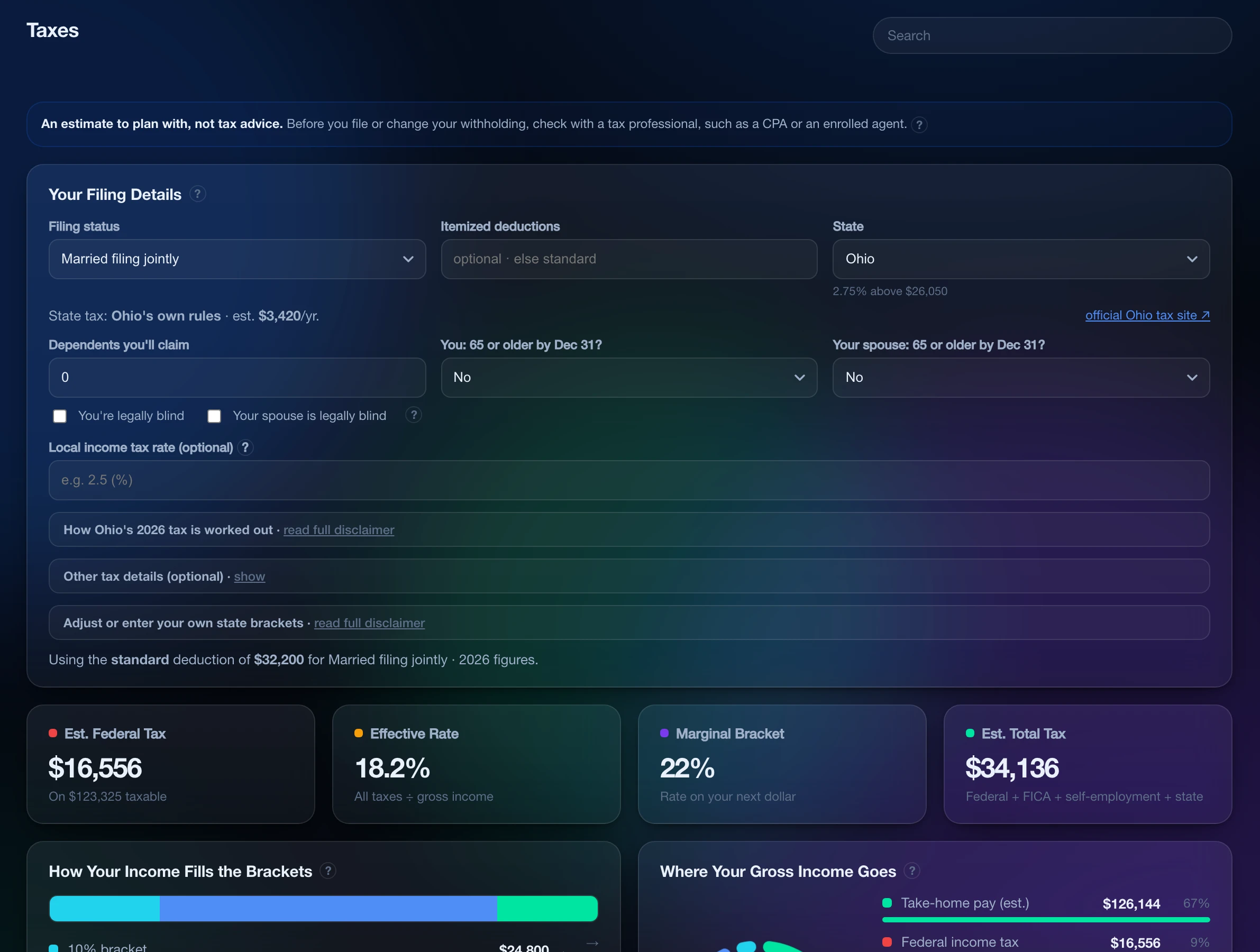
An illustrative federal estimate from what you entered, plus your state’s where the app can make one, so April is not a surprise.
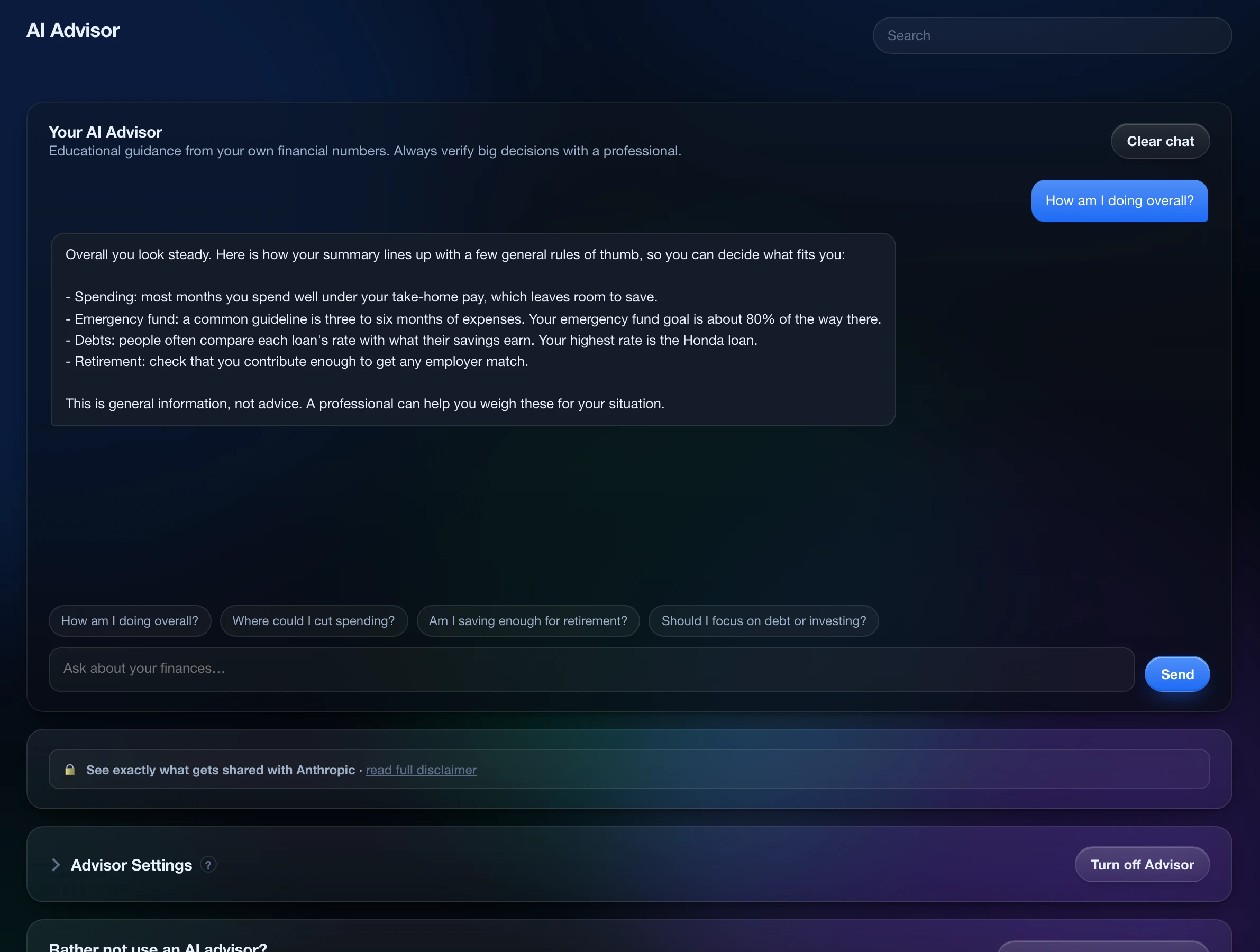
Optional, shown with an example conversation. Ask questions about a summary you can read first; the advisor never sees merchant names or your transaction list.
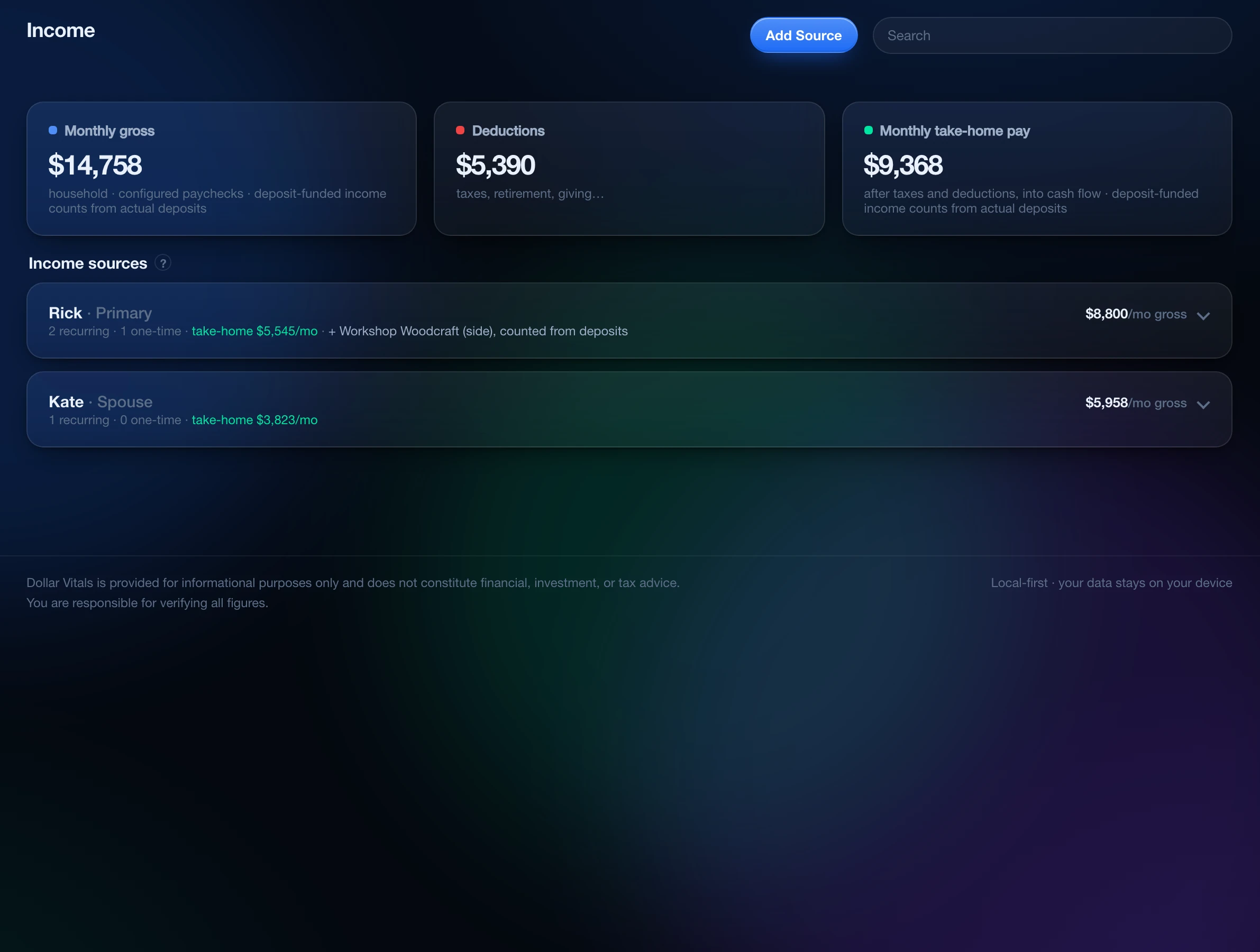
Every paycheck and side income on its own schedule, with take-home worked out per person, so the forecast knows what lands and when.
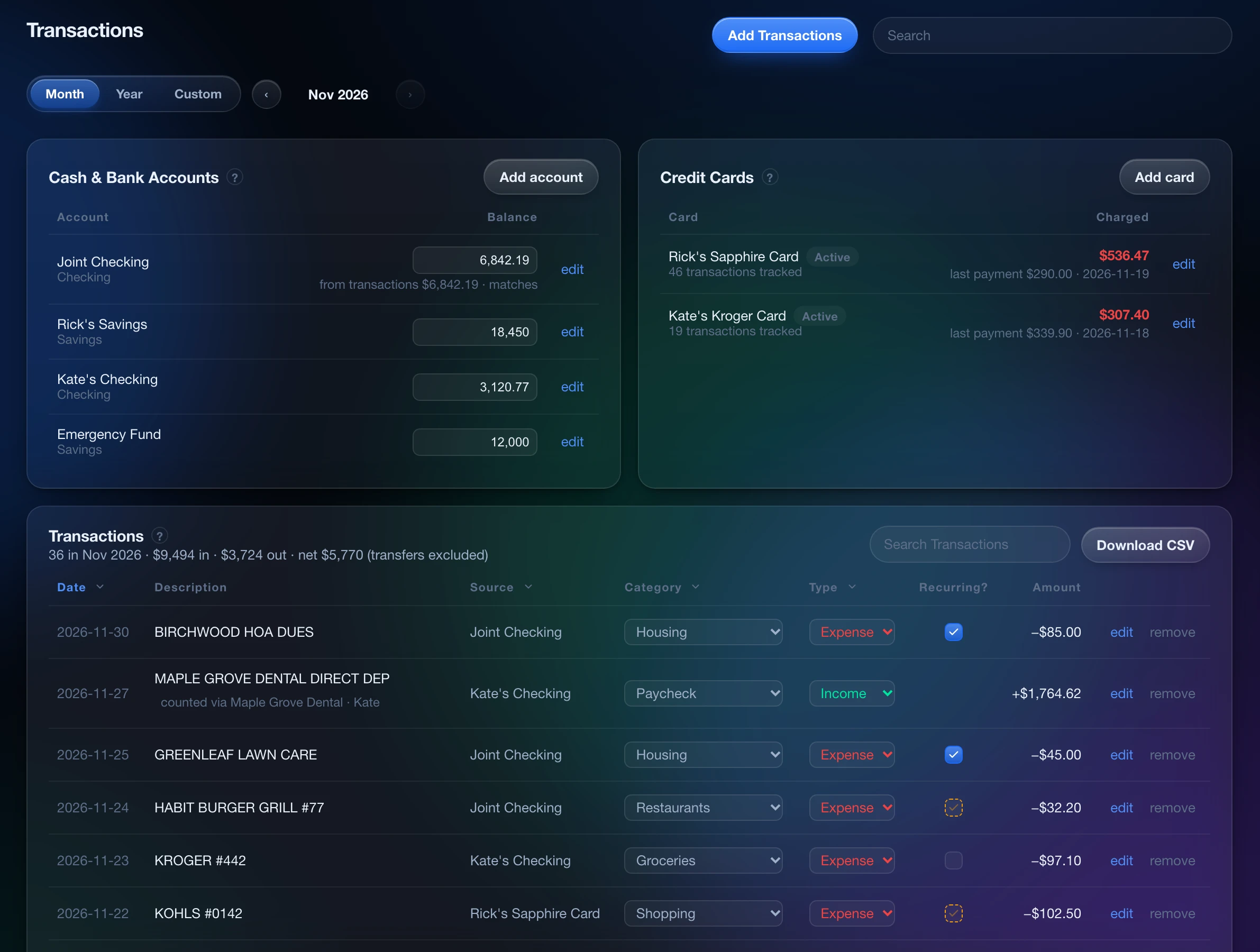
Each imported row, checked by you before it is saved, so the ledger only holds what you approved.
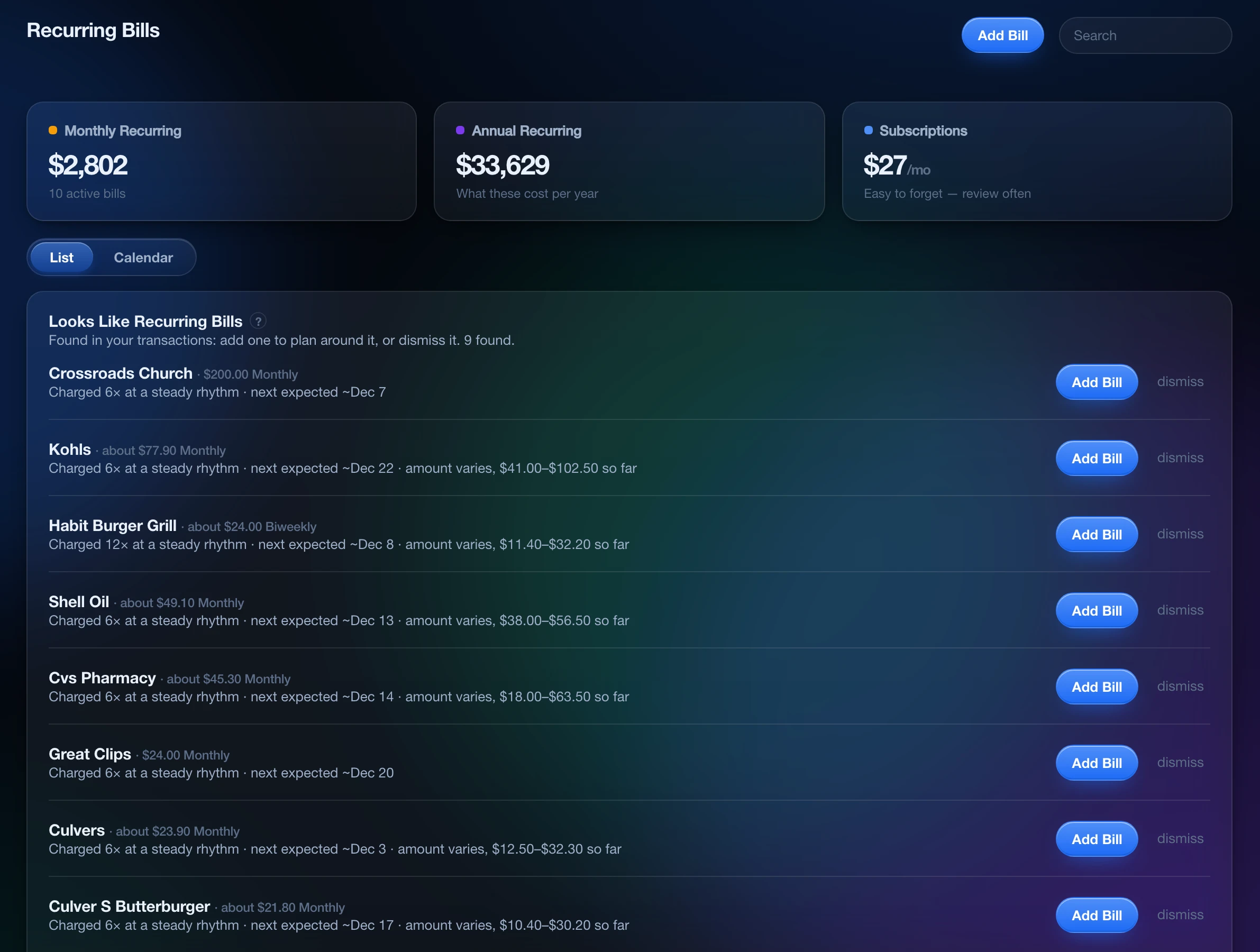
Bills are spotted in your ledger and never added without your approval. The totals show what they cost each month and each year.
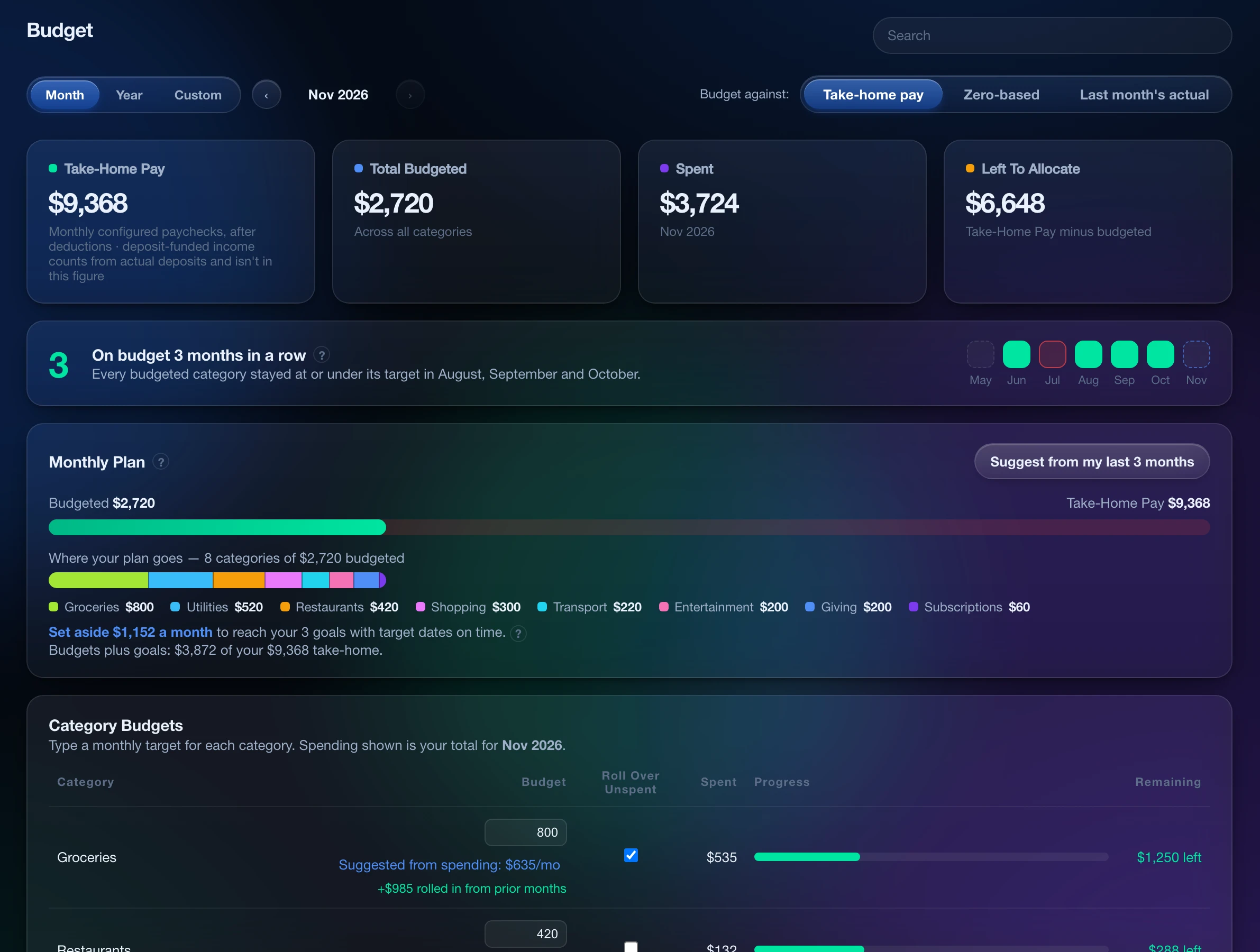
Plan versus spending, with goal set-asides and a target for each category, so you know mid-month whether the plan is holding.
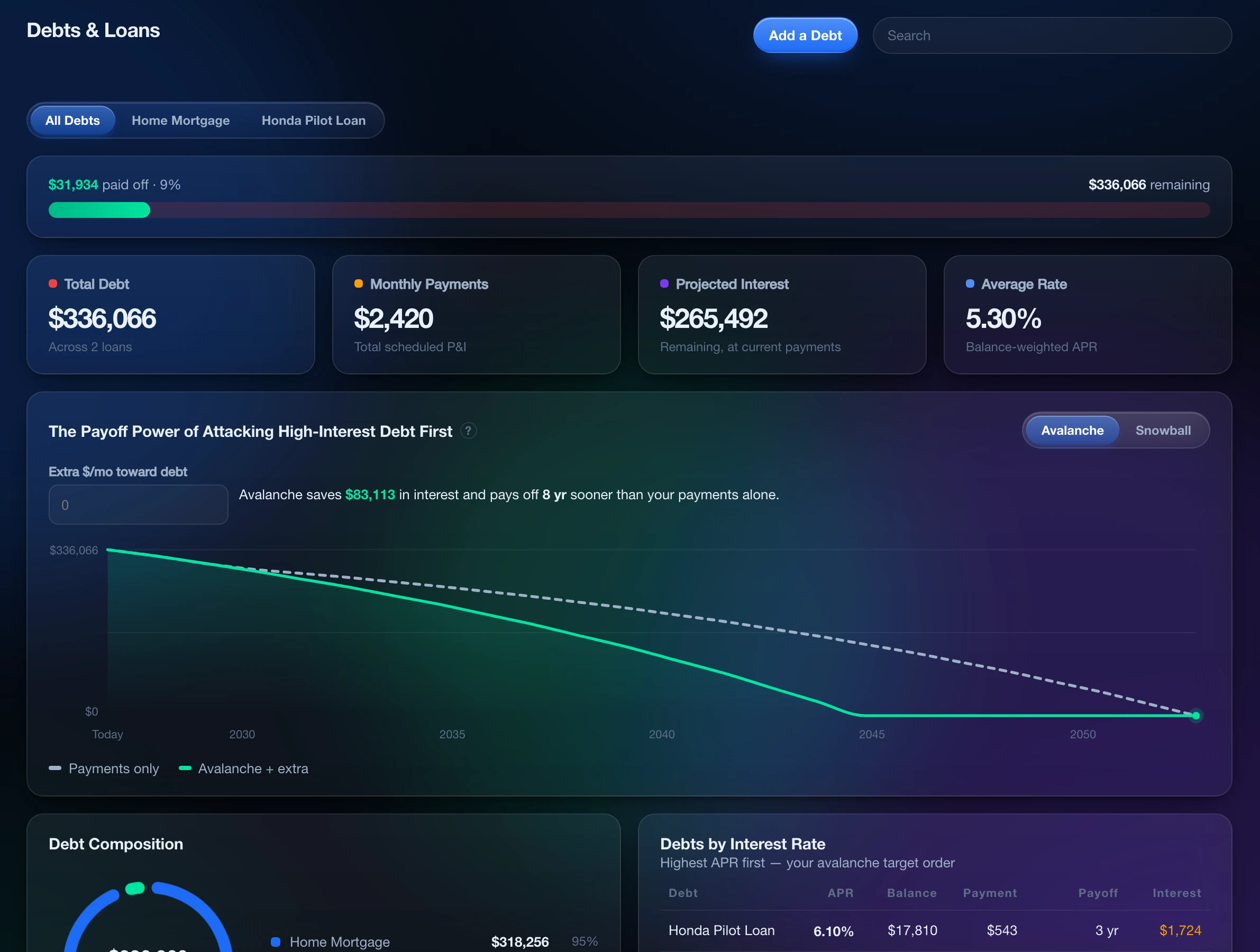
What the avalanche or snowball method saves in interest and months, against paying only the minimums.
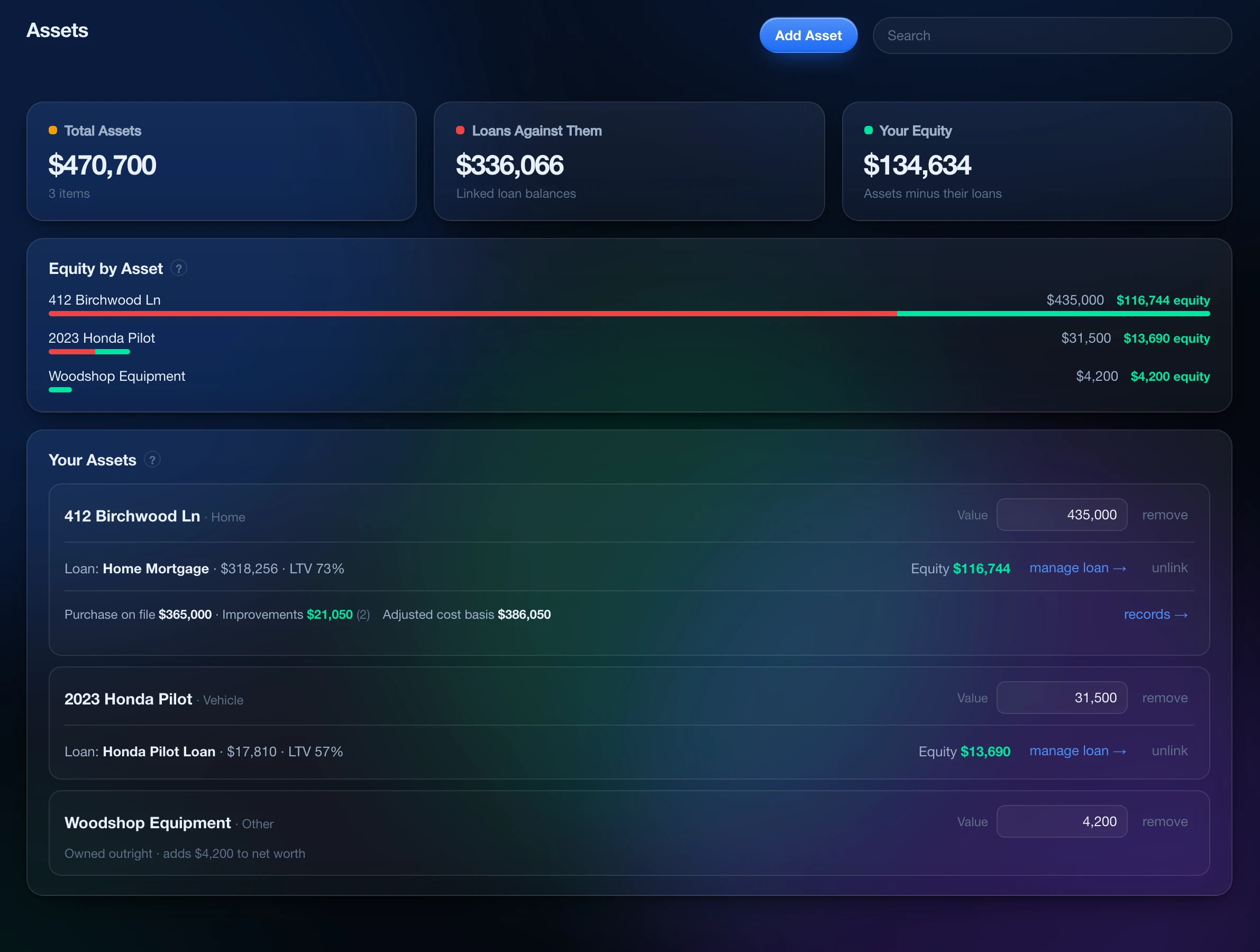
Property, vehicles and valuables, with their loans and how much of each you actually own.
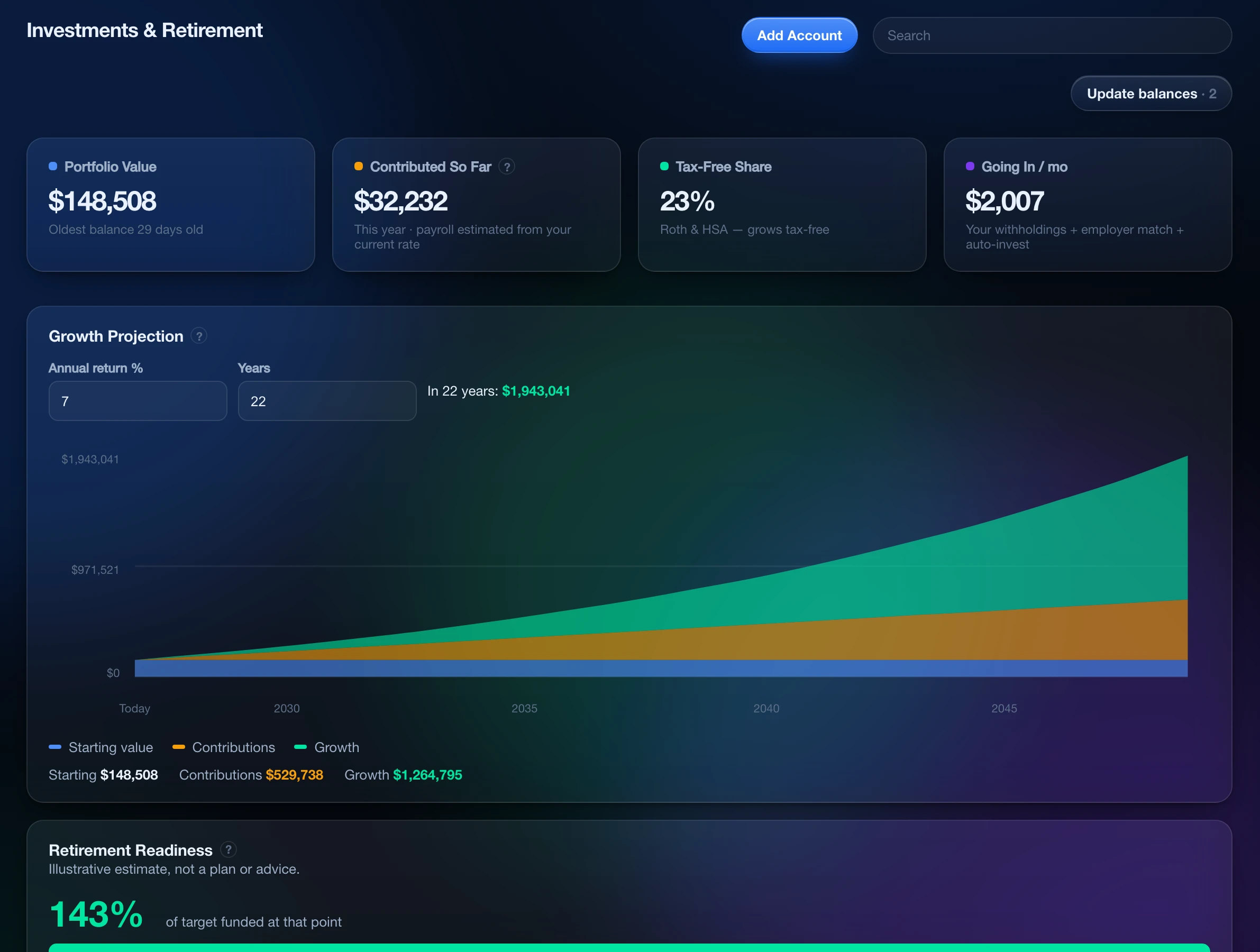
Accounts and holdings, a growth projection and retirement readiness, with contribution limits tracked per person. Live prices are optional, using your own key.
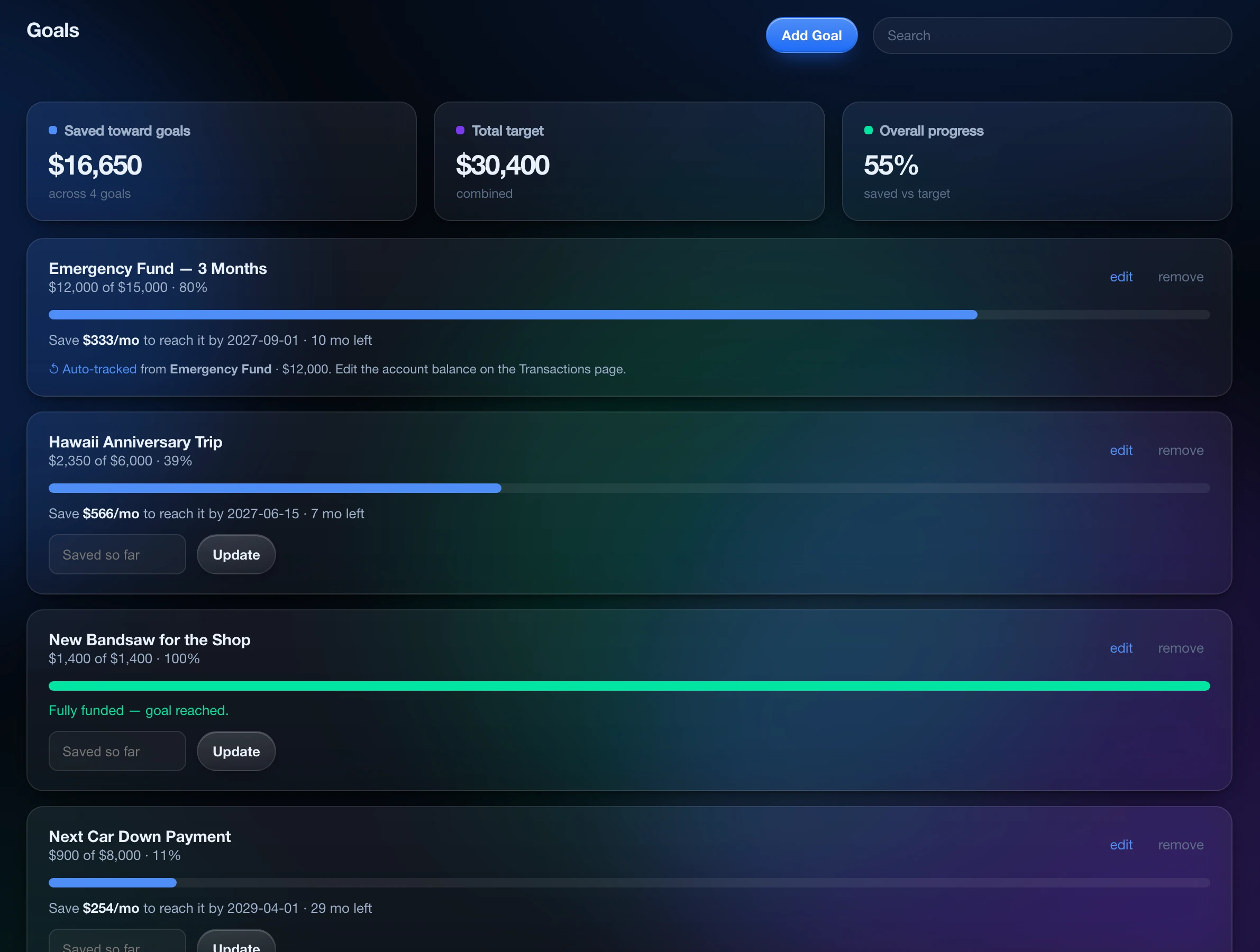
Saved versus target, and the monthly pace that gets each goal there on time.
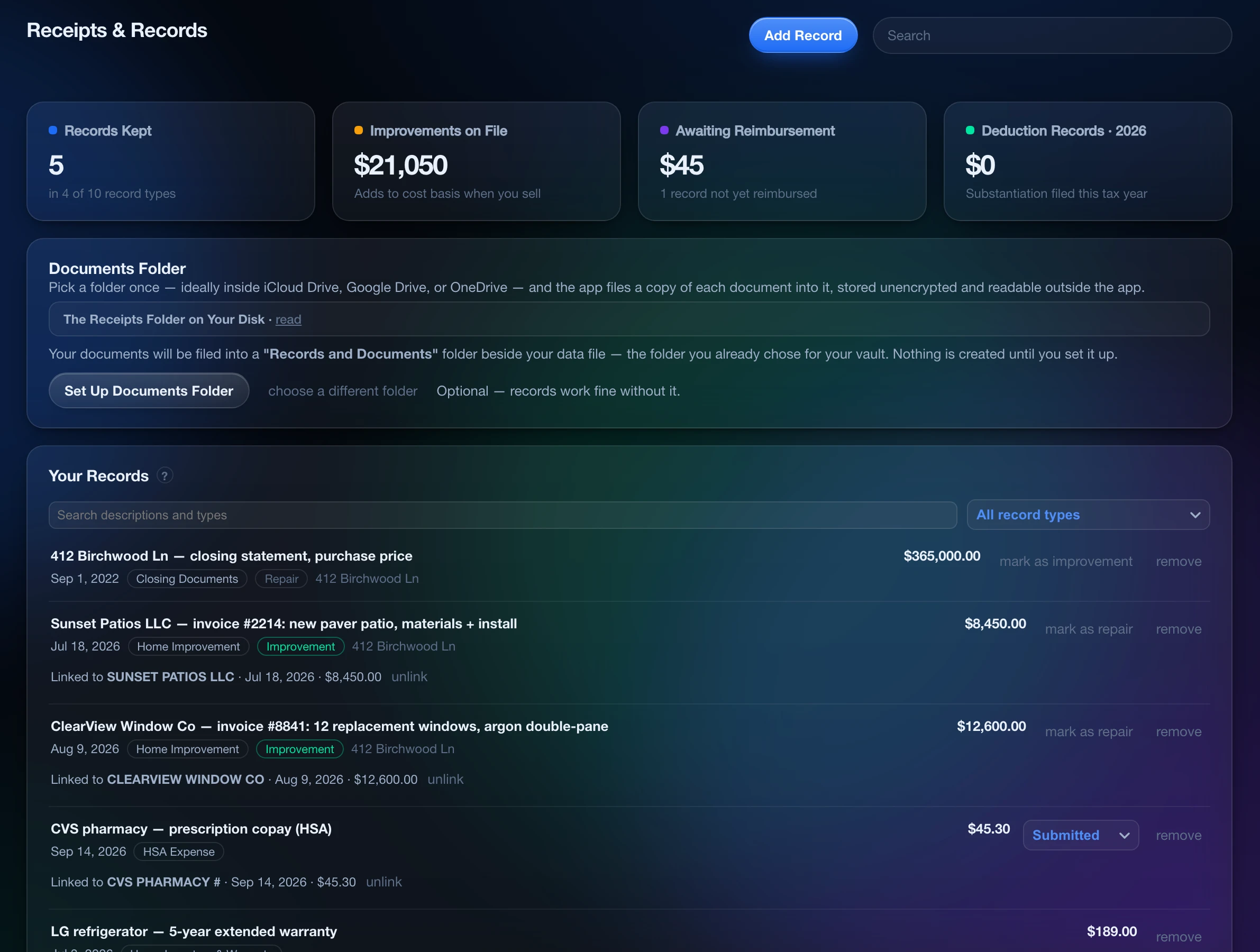
The documents worth keeping, filed as plain files in a folder you own.
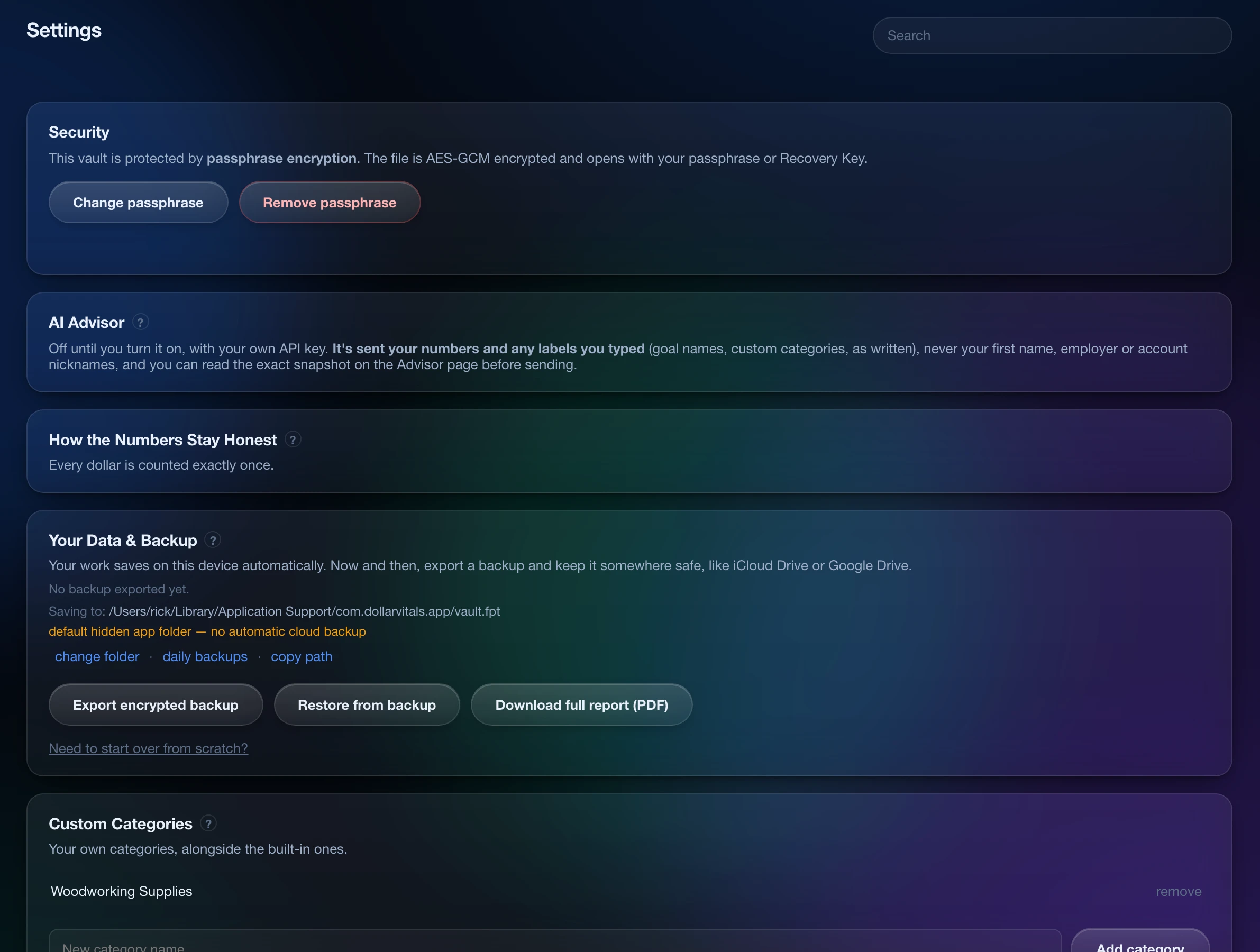
Backups, passphrase, the AI advisor’s controls, the counting rules and the built-in manual. Keep a backup somewhere else, and a lost laptop costs you a restore, not your history.
Each screen shows the top of its page; most hold more below.
How it works
Your first checkup in three steps.
- Download and look around. Sample household data is built in to explore, and your 7-day free trial starts when you begin adding your own data. No card needed.
- Bring in your numbers. Import a transaction file from your bank or credit card website. You confirm it looks right before it is saved.
- Check your vitals. See where you stand and what needs attention. Update as needed.
What leaves your computer
Your financial data never touches our servers.
Your checkup runs on your computer, start to finish. Nothing about your finances is sent to us.
The specifics, and what the app can send
Your records are one file on your computer. Without a passphrase, the file isn’t encrypted and is guarded only by your computer’s login. Add a passphrase and it’s fully encrypted.
The app sends something only if you choose:
- Activating a purchased license: its number and a one-way code for your computer, once.
- The AI advisor (optional): a summary of your numbers, which you can read first, sent with your own key to the AI provider you pick (Anthropic, OpenAI or Google).
- Live stock prices (optional): your ticker symbols, sent with your own key to the price service.
No tracking, no analytics, no ads. More in our Privacy Policy.
No company server holds your records, so there’s no database of your finances to breach.
One file, in a folder you choose. Back it up, move it or delete it.
No bank login, so your bank password stays with your bank.
No link to break, no middleman with your credentials.
The app never asks for account numbers, card numbers, Social Security numbers or full birthdays.
An optional passphrase locks the file, so any copy saved after you set one stays unreadable if it goes missing.
Who’s behind it
Made by someone who wanted a better way to manage personal finances securely.
Dollar Vitals was created by Garrett Helgesen, who kept his finances in spreadsheets until he built the checkup he wanted instead. Human-designed, built with the support of AI tools, and tested by more than 4,800 automated checks.
Dollar Vitals LLC is a Pennsylvania company. Have a question before launch? Email us at info@dollarvitals.com.
FAQ